Lightroom

Free Lightroom Tips and Photo Critique – Week 6

Free Lightroom Tips and Photo Critique – Week 6 This weeks Lightroom tips…. This week we had 5 photos uploaded, a nice mix of subjects including a lancaster bomber, river and York scene. Main tips are on image editing and losing quality through excessive noise reduction, cropping and vignetting. Free, anonymous Lightroom Tips – Submit now

Free Lightroom Tips and Photo Critique – Week 6 Read More »

NIK Dfine Explained: Smarter Noise Reduction for Landscape Photos

NIK EFEX Define – the Best Noise Reduction Software Available? Direct answer: NIK EFEX Define stands out because it gives you more control over what the software treats as noise, rather than just applying a blanket fix. In this workflow, you can sample a noisy area by hand, help the filter learn the difference between

NIK Dfine Explained: Smarter Noise Reduction for Landscape Photos Read More »

Yorkshire Photo Locations – West Burton Force

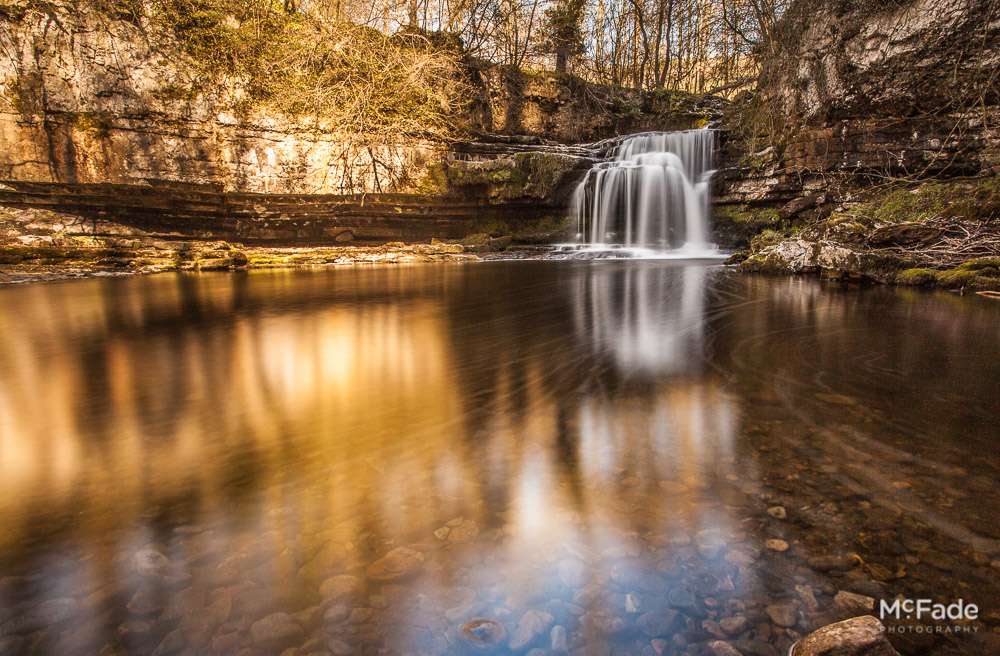
Wensleydale’s Easy Access Waterfall Looking for an easy to shoot Yorkshire Photo Location? You can park and look at this waterfall from the car… it’s that easy to see! A real gem of a waterfall, like another great Yorkshire Photo Location, High Force, it cascades over a large fault in the rock. It creates this

Yorkshire Photo Locations – West Burton Force Read More »

Editing workstation with a monitor displaying photo editing software, camera, lens, memory cards, and a notebook on the desk.

5 Post Shoot Tips to Safeguard Your Precious Shots

The Photographer’s Post-Shoot Ritual: 5 Steps to Safeguard Your Precious Shots You’ve just wrapped up an amazing photoshoot. The excitement is palpable as you rush back to your computer, eager to see your masterpieces on the big screen. But wait! Before you dive into editing, there’s a crucial ritual every photographer should follow. Let’s walk

5 Post Shoot Tips to Safeguard Your Precious Shots Read More »

McFade Edits Phil Gledhill’s “Chris” playing

As part of the Lightroom 4 exploration, we’ve been editing our student’s shots for fun – using just Lightroom 4, no plugins or photoshop. Here’s one from the Lyric of Chris with his trombone on the stairs. Original Shot This shot seemed to suit mono, so started off with a black and white pre-set – went through

McFade Edits Phil Gledhill’s “Chris” playing Read More »

McFade Edits Phil Gledhill’s “Chris in Window” shot

As part of the Lightroom 4 exploration, we’ve been editing our student’s shots for fun – using just Lightroom 4, no plugins or photoshop. Here’s one from the Lyric of Chris playing his trombone. The gallery feature isn’t in the right order, but each shot has a number after it;s name “brass-band-119-3” – that number

McFade Edits Phil Gledhill’s “Chris in Window” shot Read More »

McFade Edit of Dave Goodman’s “Sam” shot

Enhancing Workshop Photos with Lightroom: A Step-by-Step Guide As part of our exploration into Lightroom 4, we have taken the opportunity to edit some of the photos from our students’ workshops. In this post, we’ll demonstrate how we transformed an image from a McFade Taster shoot featuring Sam and Chris from the brass section of

McFade Edit of Dave Goodman’s “Sam” shot Read More »